


21 videos in two weeks, with no film crew? Building the game for the web made it possible
· windy85
Once the game is finished, a solo developer still has one more mountain to climb: the marketing videos.
"The game's done. So who's making the ads? 🙏"
And it's never just one video. A main video for the store, vertical and horizontal ads, and a version for every language. The count adds up fast.
Purrfect Pilots started out with exactly that worry. No camera operator, no editor.
Yet over two weeks, starting October 8, I made 21 marketing videos and 15 ad images.
- The 30-second main video in 3 languages (4K)
- 5 vertical ads, plus a horizontal cut of each
- 8 English ads
A first draft very close to what you see now was done in a single day.
There's one secret. Purrfect Pilots is a web game that runs inside Chrome. So Chrome itself became the film set.
It isn't a screen recording, and it isn't an AI-generated video. The real game was made to "act" from a script, and filmed.
Here's how filming works when your game is a web game, and, to be honest, the parts that took more work than I expected.
1. I asked in words; the AI got the game to act it out
Almost all of the video work was a conversation with AI (Claude). My part was saying what scene I wanted, then looking at the result and asking for changes.
Here's how it went.
- I order a scene in words. Something like "send up the 48-cat formation, and have the boss go down on Mochi's final blow, right on the beat."
- The AI writes a script and gets the game to act it out. It writes down, in code, who appears, when each Super Move fires, when the boss falls and where the camera sits, and the game acts exactly that. Nobody plays.
- The AI films and edits it, too. It lays captions, logos and numbers on top in the game's font, mixes in the music and outputs the video file.
- I watch and ask for changes. Say "the boss falls a little late" or "make the captions bigger", and nobody has to play again: it fixes the script and films again.
The person in the ads (a college student in a cat-ear hat) was made with a different AI, Higgsfield, and Claude handled that too. It asked Higgsfield for each scene it needed against a green screen (chroma key), split the clips it got back into single frames just like the game footage, and composited them onto the game, frame by frame. Last, it laid in the voice frame by frame as well, so sound and picture never drift apart.
Every game screen was drawn by the real game.
The AI didn't draw the video. The real game acted out a script we wrote together.
2. What being a web game made possible
Impact, timed to the frame
It's not digging through recordings for a good moment. You make the moment you want happen exactly when you want it.
I sent up a formation of 48 cats, had the boss fall right as Mochi lands the final blow, and timed the moment the Super Move goes off to the beat of the music (172 bpm). Since every frame is its own picture, that timing can be matched to the exact frame.
Hitting those moments by hand while playing would have taken take after take. Written into the script, the game just does it.
It's a real battle run to a script, so there are no fake, drawn-in scenes. And since the app wraps the very same web code, what you see in the video is what you see on your phone.
Lag never makes it into the video
Filming runs slowly, at about five frames a second. But the finished video still gets all 60 frames a second, none missing. That's the beauty of taking one picture at a time.
The pixel art was scaled up by exactly 2×, 3× and so on, all the way to 4K (3840×2160). Had I recorded a phone screen, the stutter of a phone getting hot would have ended up in the video too.
Language is one line in the address
I run the same script again with ?lang=en or ?lang=ja added to the address. Not only the captions but the text inside the game comes out in that language: combo counts, Super Move names, even the boss's lines.
Three Chromes filmed all three languages at once. One take took about 35 minutes.
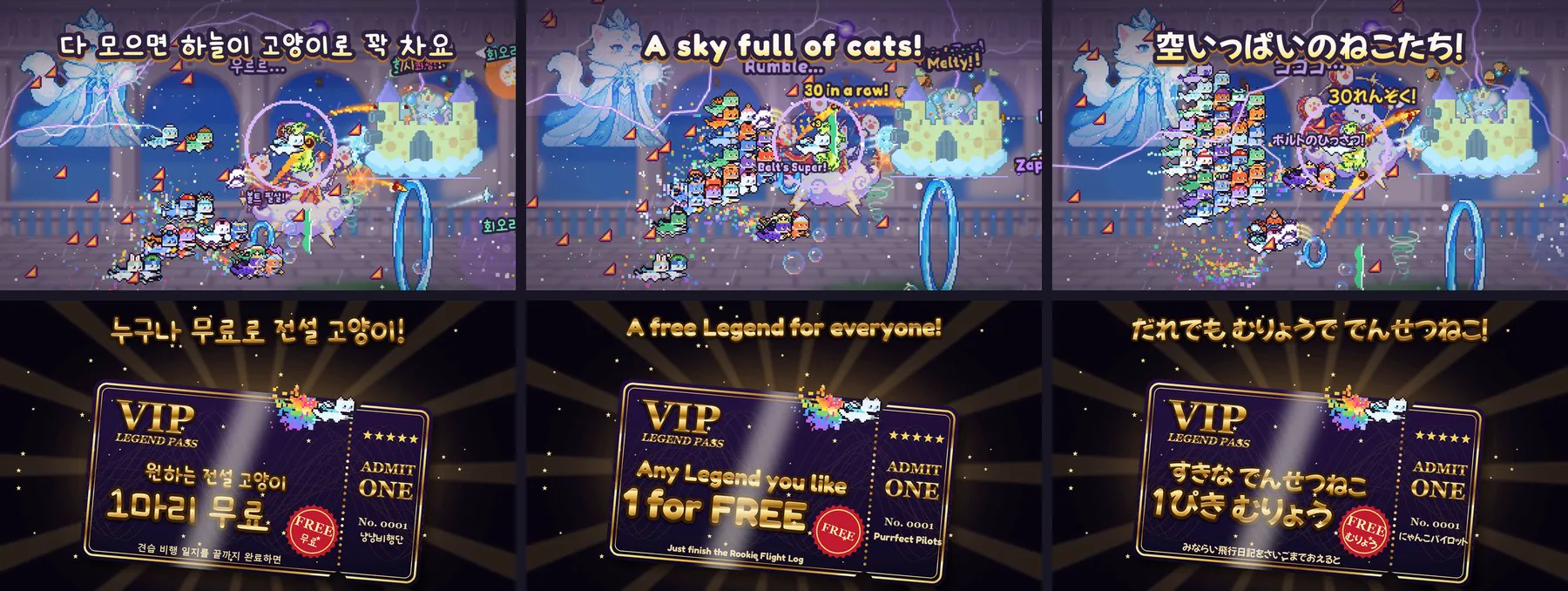
Aspect ratio is just window size
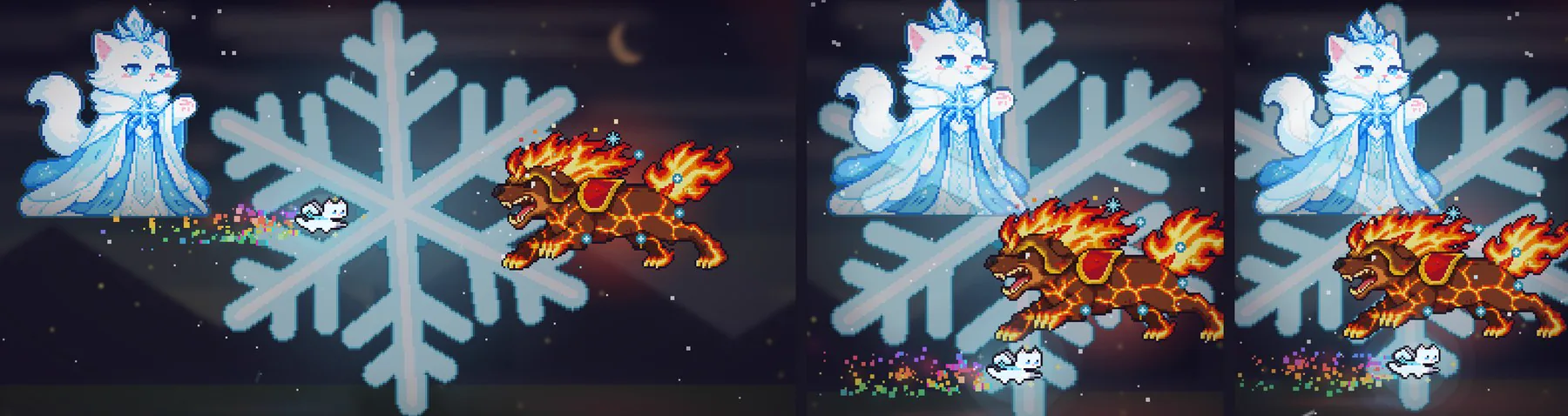
The image ads needed three ratios: 1.91:1, 1:1 and 4:5.
Usually you make one image and crop it to fit. Instead, I changed the width of the battlefield for each ratio and filmed them separately. No black bars, no awkward crops. 5 scenes × 3 ratios, 15 images in all.
Footage keeps paying off
From the same footage, I can cut vertical (9:16) and horizontal (16:9) ads separately. That helped more than I expected.
Here's day one of the ads, October 21:
- 📈 One horizontal video: shown 92 times
- 📉 Vertical ads: shown 1 to 8 times each
The horizontal video won by a mile. So that same day, I made five horizontal cuts and put them up. No reshoot needed, just the footage I already had.

When the game changes, that's fine too. I redrew the boss, but the main video still had the old one. On October 21 I reran the same script and the new art was in. I also refilmed every store screenshot in 10 languages in one go on October 20.
Filming always starts from the same save data, so every take gives exactly the same scene.
It even helps with development. Film a scene before and after a fix and stack the two: when you change performance or art, you can see at a glance what changed.
3. Of course, it wasn't free
All this may sound easy, but honestly, a lot of it took work.
- The first four takes went in the bin. Because of the way hit cats blink, one take had all 47 cats invisible, and in another the boss went down before the script said so.
- One take takes more than 30 minutes. On the plus side, nobody has to sit next to it.
- Human faces and voices can't be made on the web. So I paid for AI video credits separately.
Still, fixing a video now takes a few lines of script and some waiting.
For a one-person team, that's huge.
4. Want to try it yourself?
If your game runs on the web and you use an AI coding tool like Claude Code, you can try something similar.
- Open your game's project in Claude Code.
- Have it read this post to understand the method, and ask it to build a filming mode.
- Order the scene you want.
- When the timing is off, point it out and have it film again.
For example, you could ask:
Read this post (https://geckogamestudio.com/en/blog/marketing-videos) and understand the method. Set our game up so we can film videos the same way: not a screen recording, but a filming mode that steps the game one frame at a time.
Make a 5-second highlight where our game's flashiest move turns a moment of crisis around in an instant. Throw in slow motion and camera work like zoom and shake so every hit lands hard and it feels intense. Use our game's music, and have the move go off right at the music's high point. Don't record: step one frame at a time at 60 fps, and when you're done, give me the video file and a note on how you filmed it.
The first take or two may be a little off. Just point it out, like "the move goes off 0.2 s after the beat" or "make the slow motion a bit longer". Nobody has to play again: it fixes the script and films again.
All the videos
From here on, I'll keep an eye on the ad data and keep responding with the method I found this time.
Below are the links to the ad videos. (The ads are in Korean.)
| Video | Length | Link |
|---|---|---|
| Main video, Korean (4K) | 31 s | Watch |
| Main video, English (4K) | 31 s | Watch |
| Main video, Japanese (4K) | 31 s | Watch |
| Ad A, "Losing, then the comeback" | 18 s | Vertical · Horizontal |
| Couple ad, "Ugh, let me do it" | 25 s | Vertical · Horizontal |
| Ad F, "Lv.1 → Lv.100" | 24 s | Vertical · Horizontal |
| Ad H, "Just one round before bed" | 20 s | Vertical · Horizontal |
| Ad G, review, "The 45-second recap" | 53 s | Vertical · Horizontal |